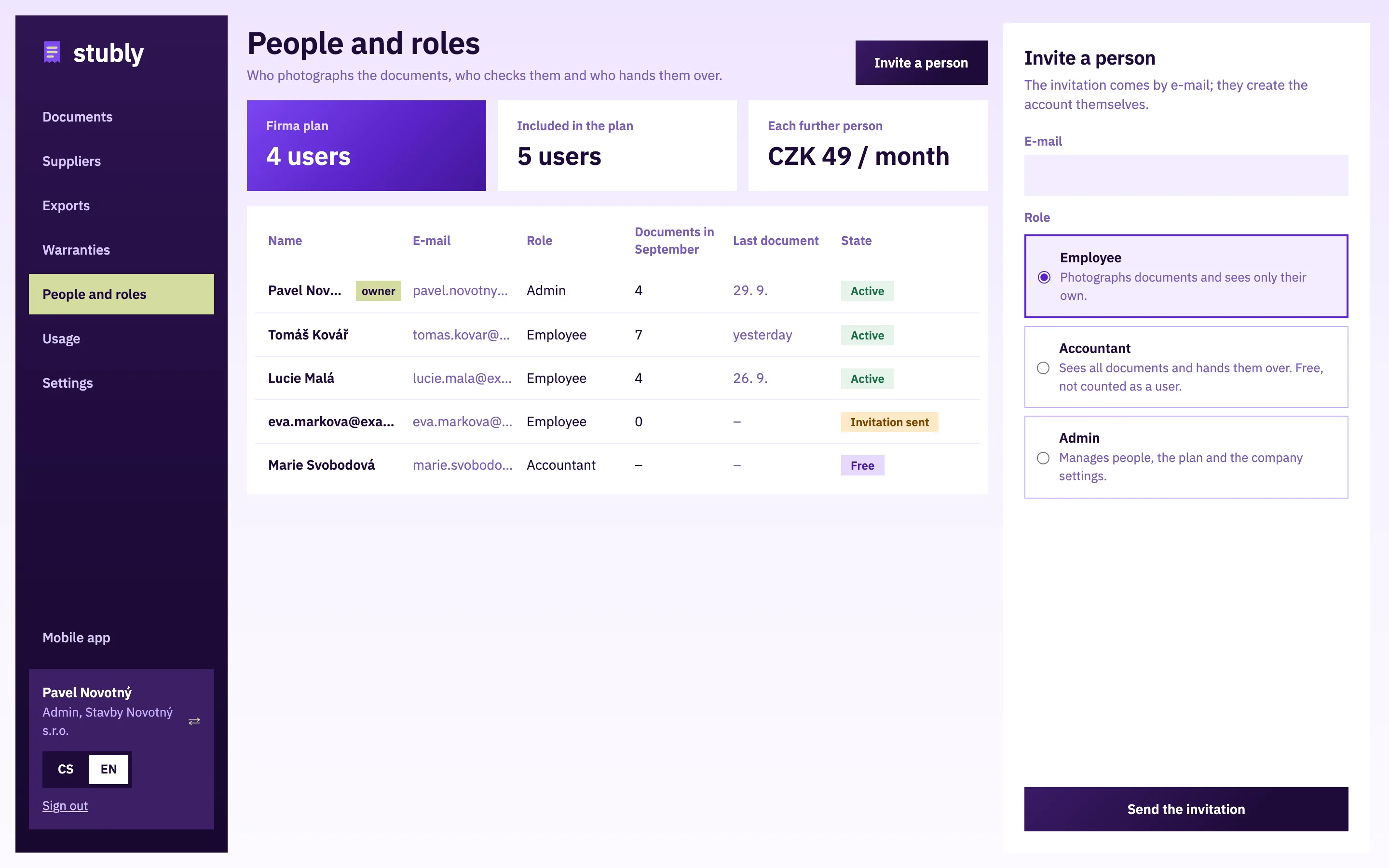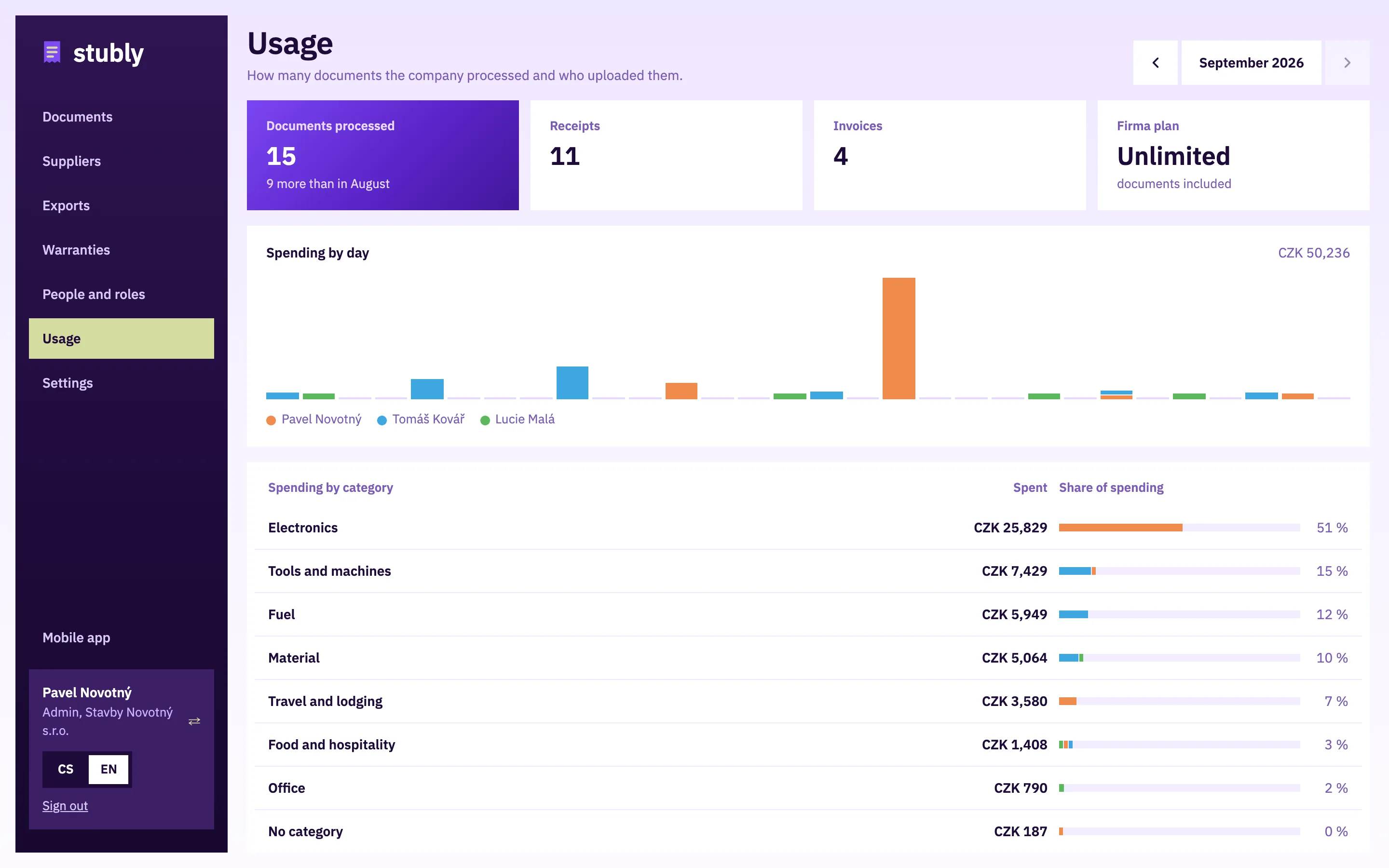
stubly

Guide for companies

In the app you photograph and check documents; within seconds the admin and the accountant have them in the office. It runs in the phone’s browser and from the home screen.

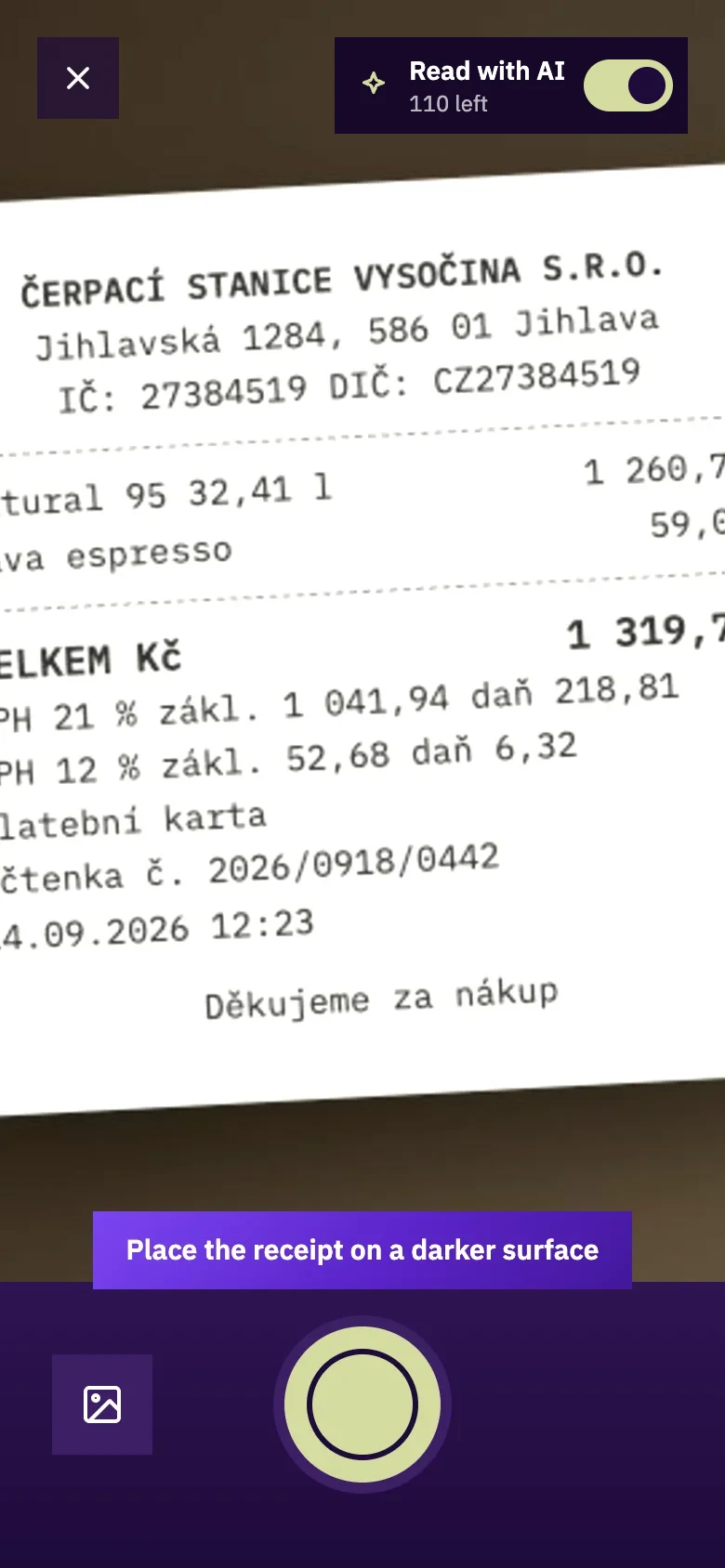
Screenshot: Snap the document

1. Snap the document

Point the phone at a receipt or an invoice. Stubly looks for its edges, you take the photo with the button and adjust the corners if needed.

  • The switch at the top decides whether AI reads the document; without it you fill it in by hand.
  • A longer document gets further pages, several documents go in one batch.
  • It works without signal too; the document goes out once you are online.
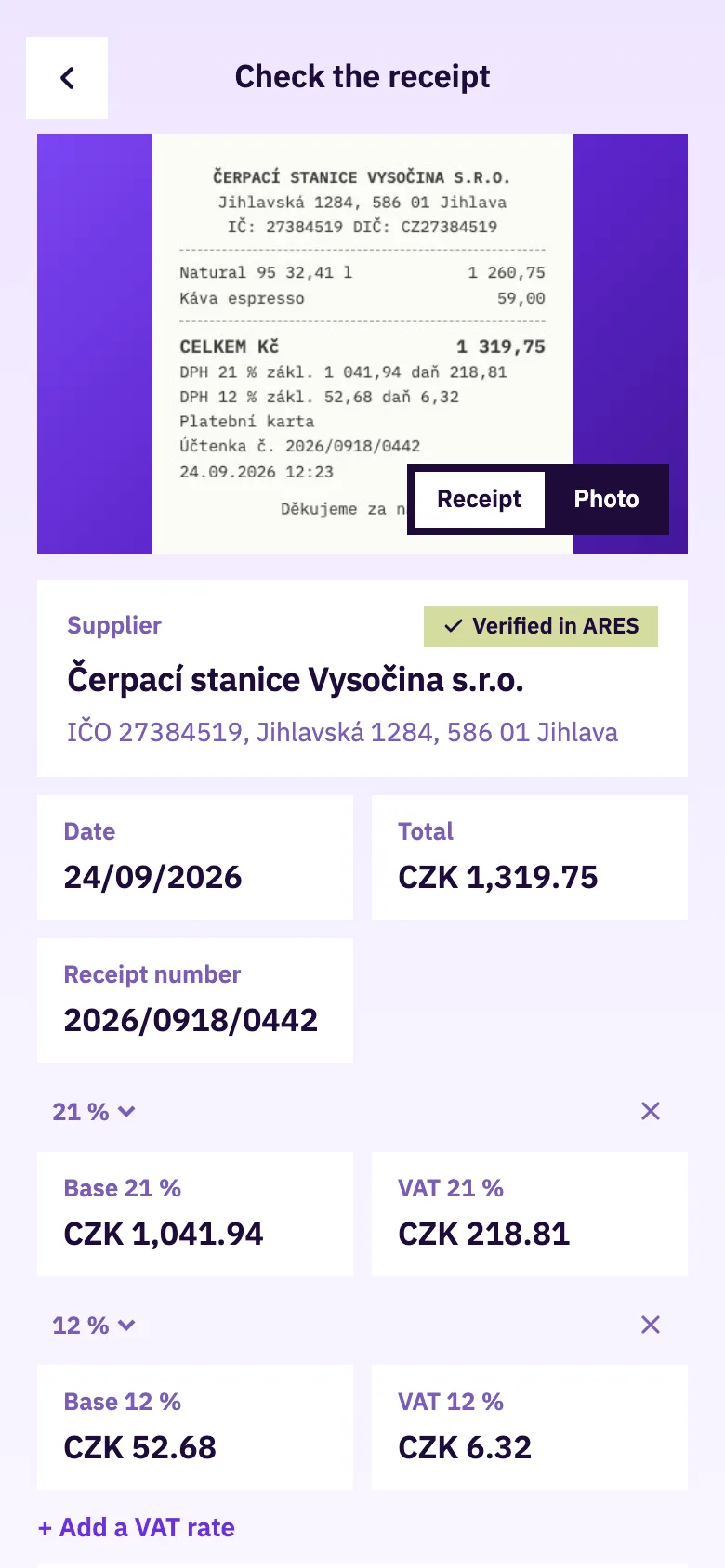
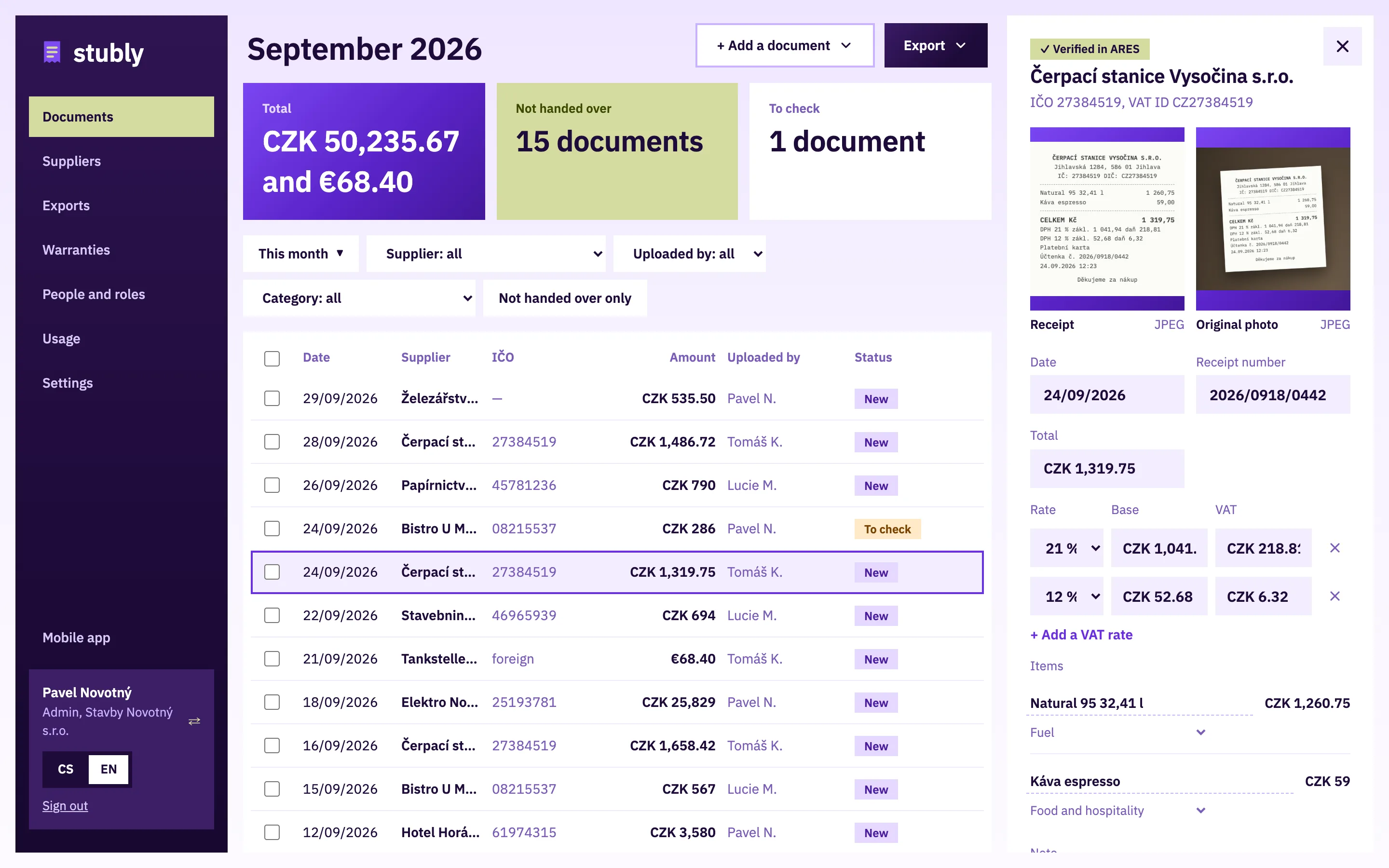
Screenshot: Check what was read

2. Check what was read

Within seconds you see the supplier, company ID, date, amount, VAT and line items.

  • The supplier is verified in ARES.
  • What is missing or does not add up is highlighted.
  • Fix an item name read wrongly right in the list of items.
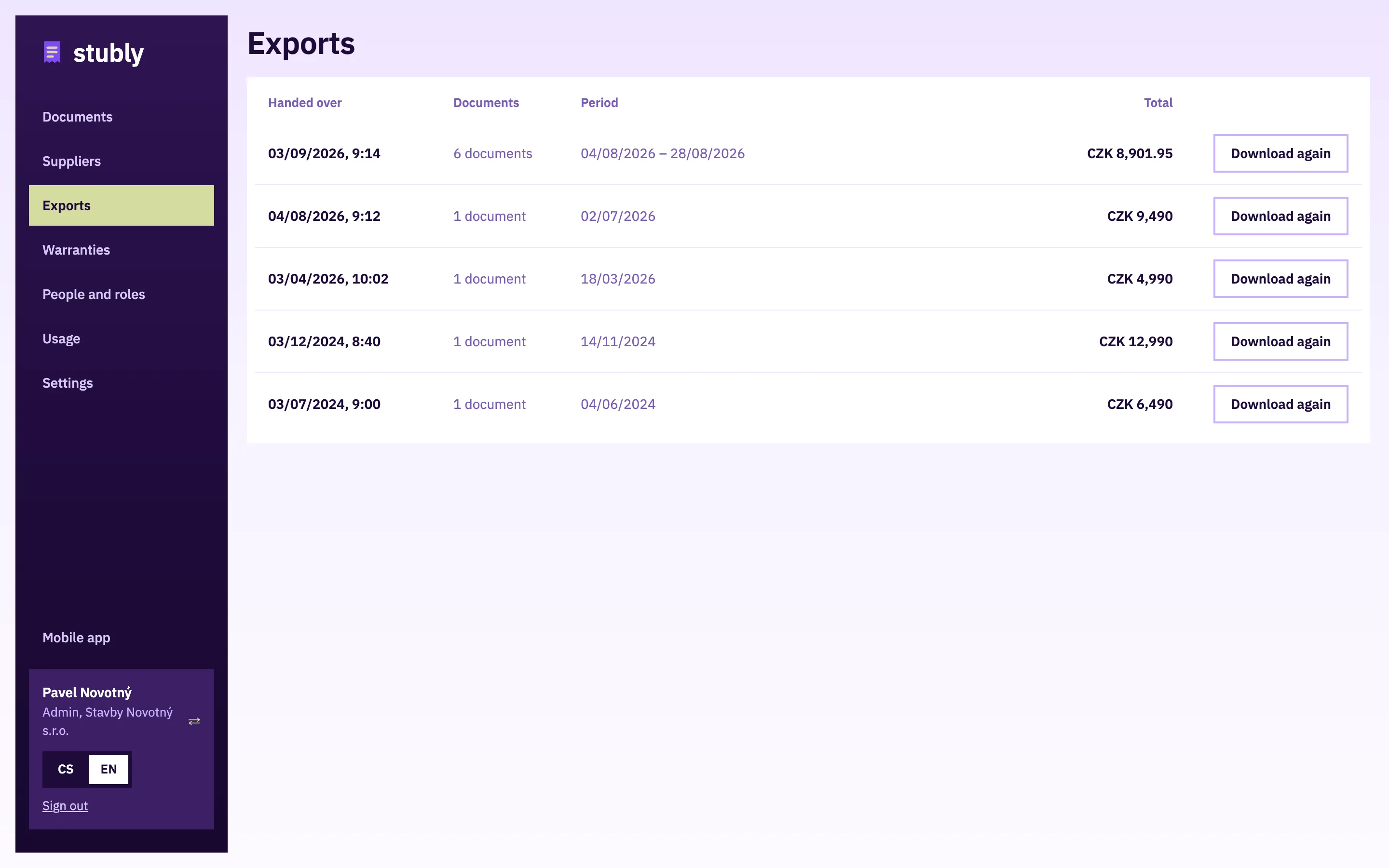
  • After saving, the admin and the accountant see the document in the office.
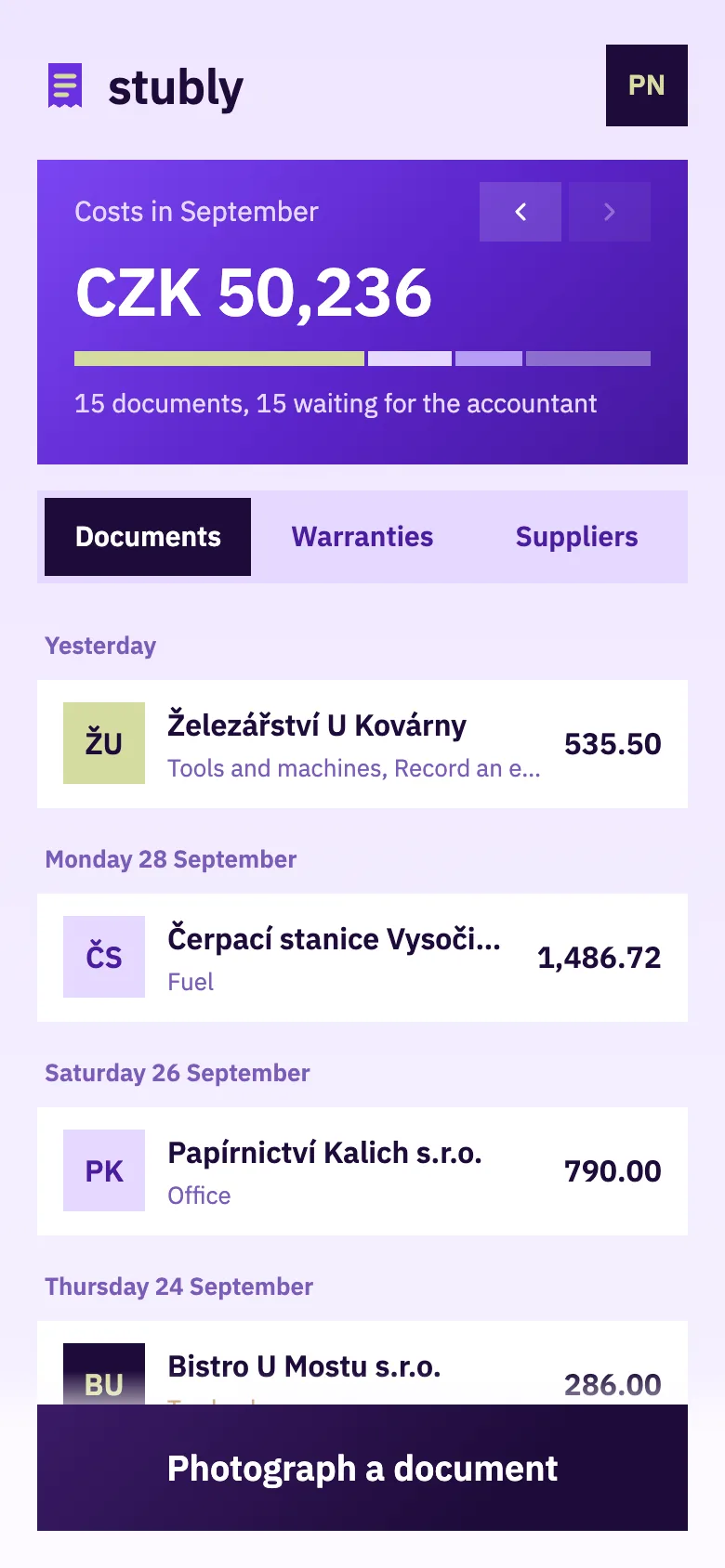
Screenshot: Documents

3. Documents

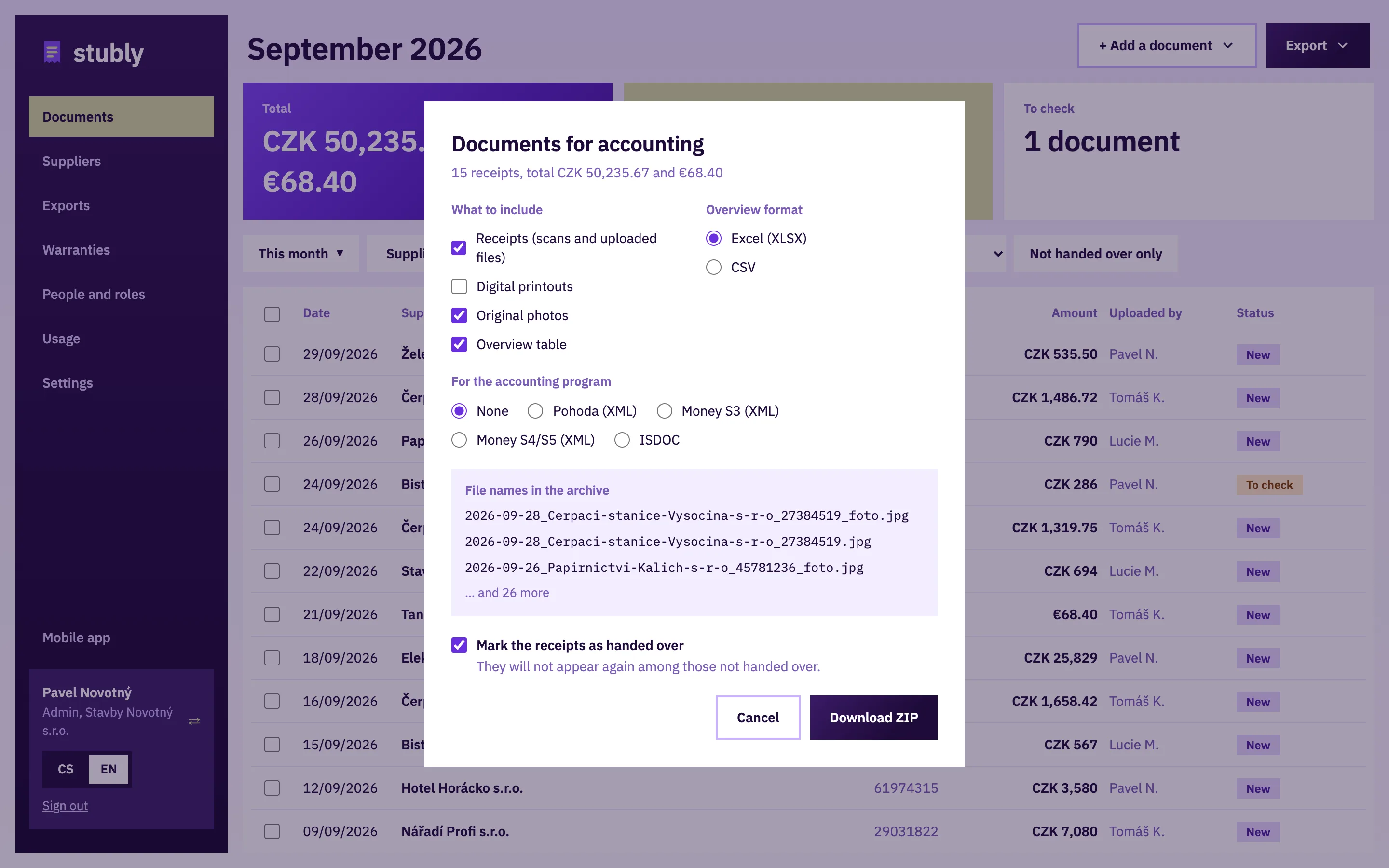
The main screen shows the month’s documents, their total and what has not been handed over yet.

  • Switch the month with the arrows in the banner.
  • Documents, Warranties and Suppliers have the same banner.
  • Tap a document to open its detail. Move one snapped into the wrong account with the icon at the top right.
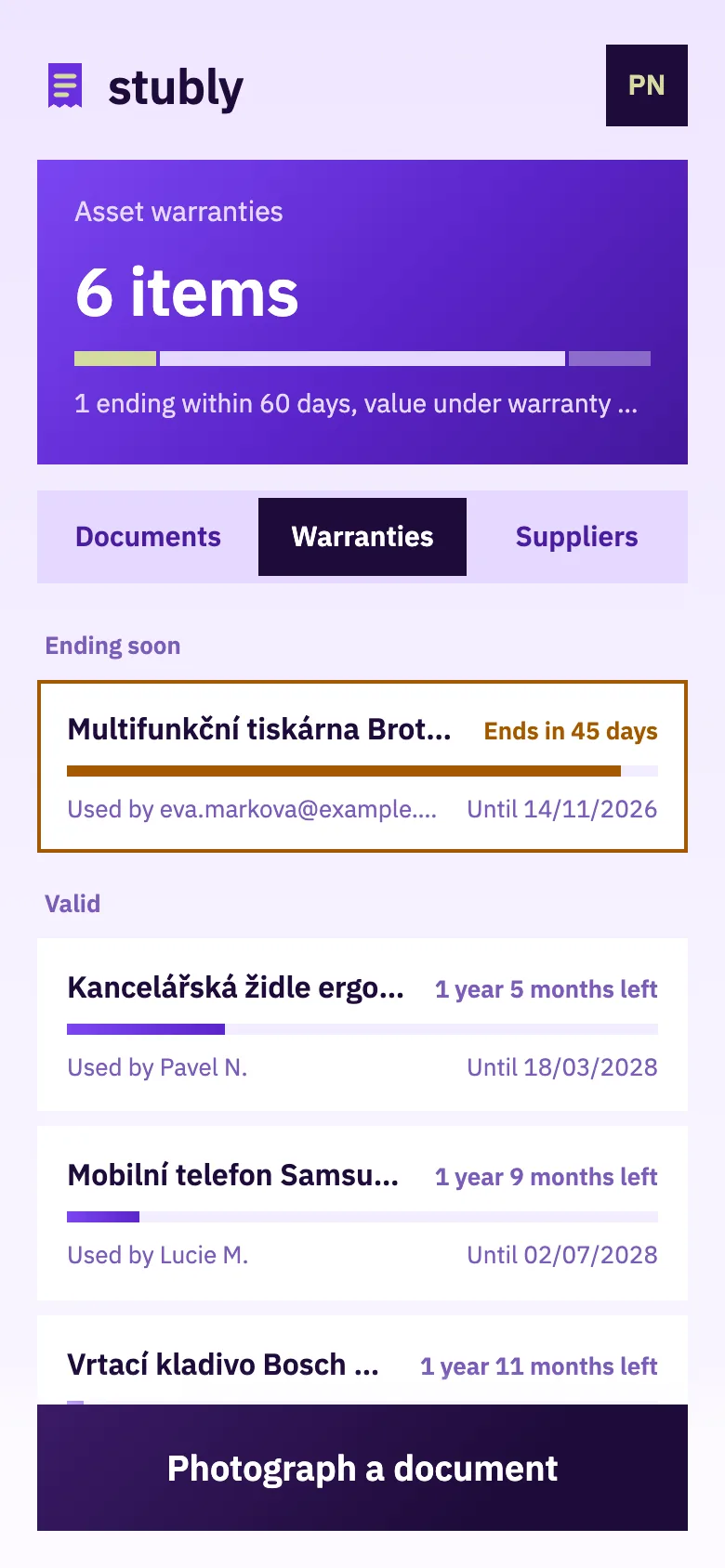
Screenshot: Warranties

4. Warranties

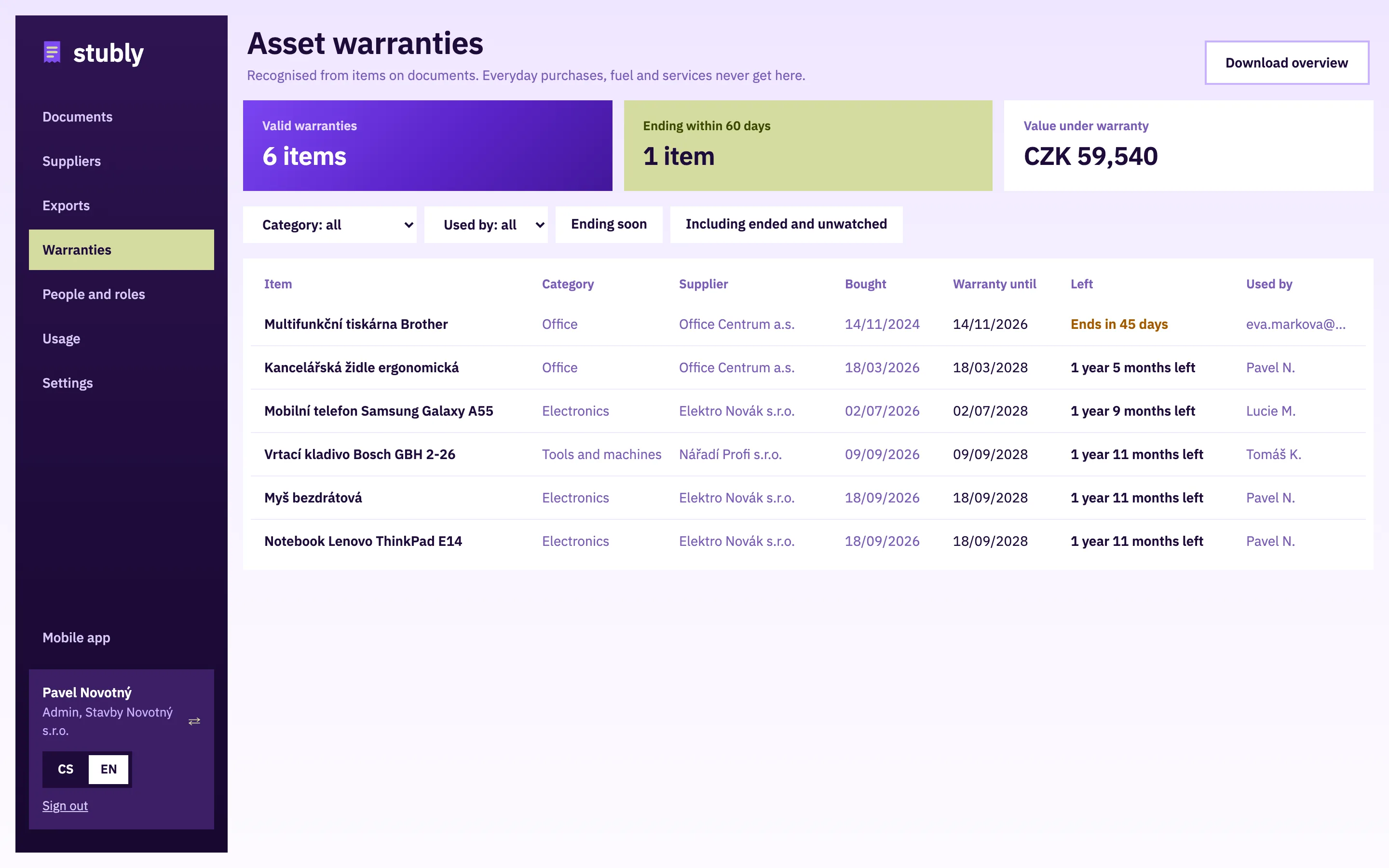
Laptops, tools and other things with a warranty, ordered by when it ends.

  • Stubly recognises them among the items of a document; you only confirm.
  • Before a warranty ends we send a reminder by e-mail.
  • You download the document for a complaint again.
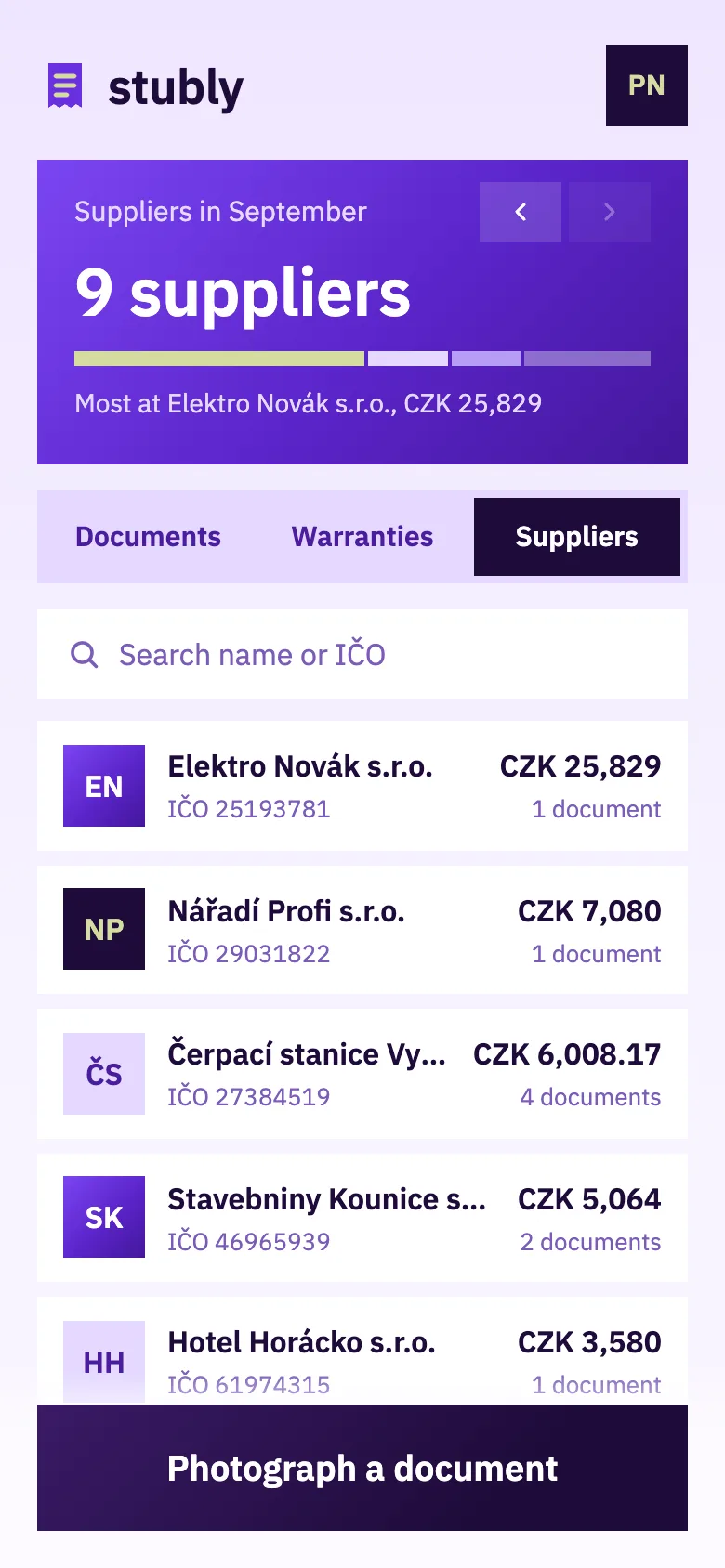
Screenshot: Suppliers

5. Suppliers

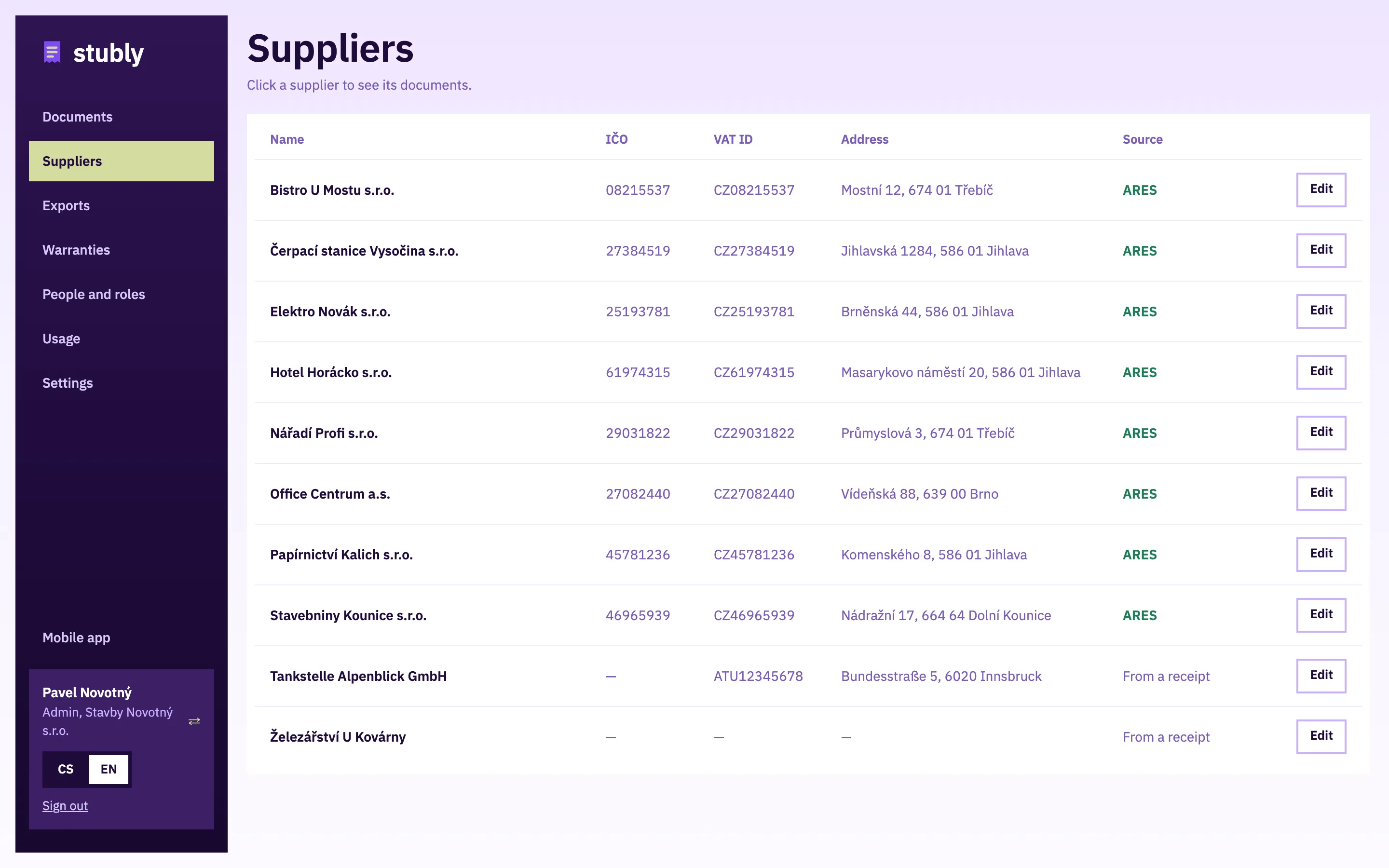
Documents grouped by supplier with the month’s total.

  • Search by name or company ID.
  • Foreign suppliers show their VAT ID.

Try it on your own documents

The Solo plan is free, and you can try Team for 14 days without paying.

Start for free