stubly

Guide for households

The whole family snaps receipts in the app. Stubly reads them, sorts the spending into categories and watches the warranties. It runs in the phone’s browser and from the home screen.

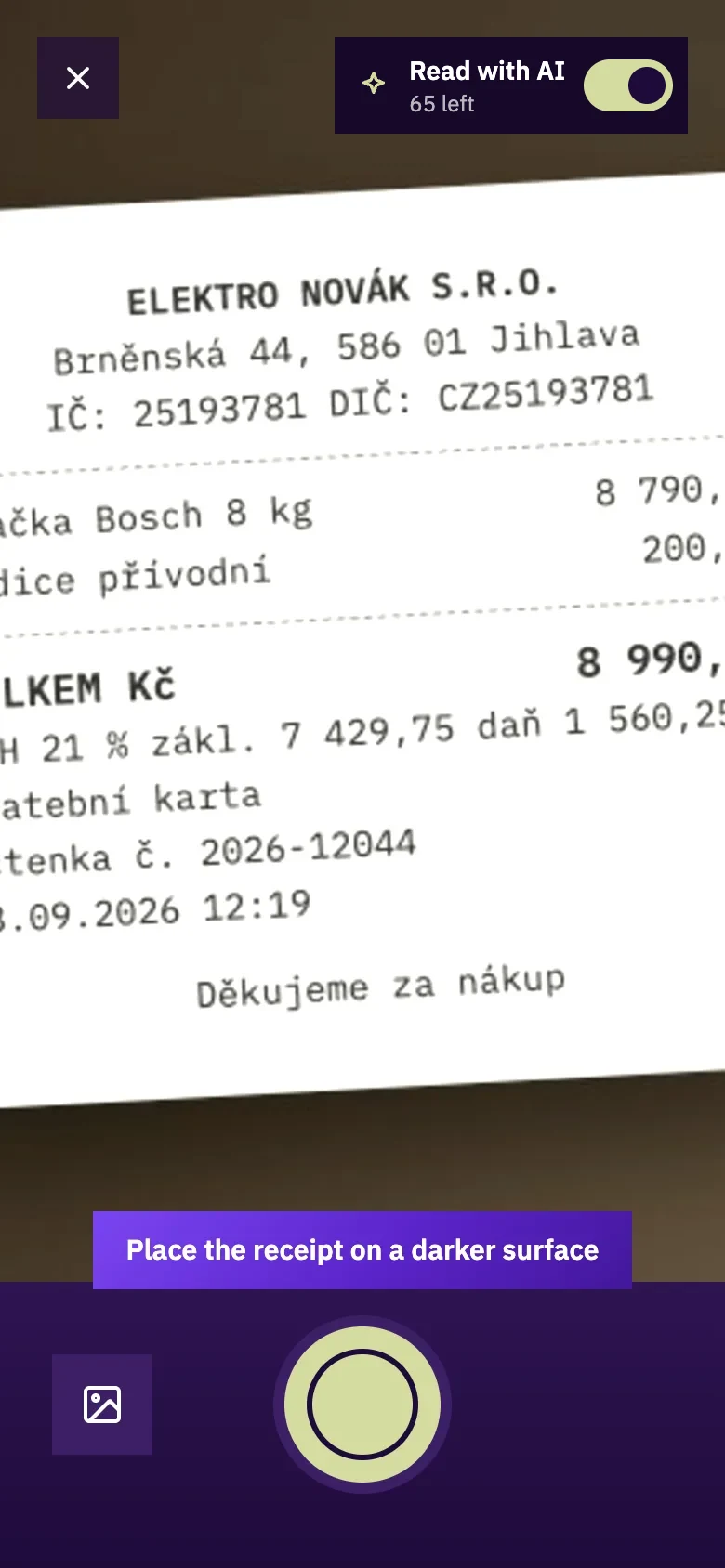
Screenshot: Snap the receipt

1. Snap the receipt

Point the phone at the receipt. Stubly looks for its edges, you take the photo with the button and adjust the corners if needed.

  • The switch at the top decides whether AI reads the receipt; without it you fill it in by hand.
  • A photo from the gallery goes in with the button at the bottom left.
  • It works without signal too. The original photo stays with the receipt.
  • You can download a faded receipt again later.
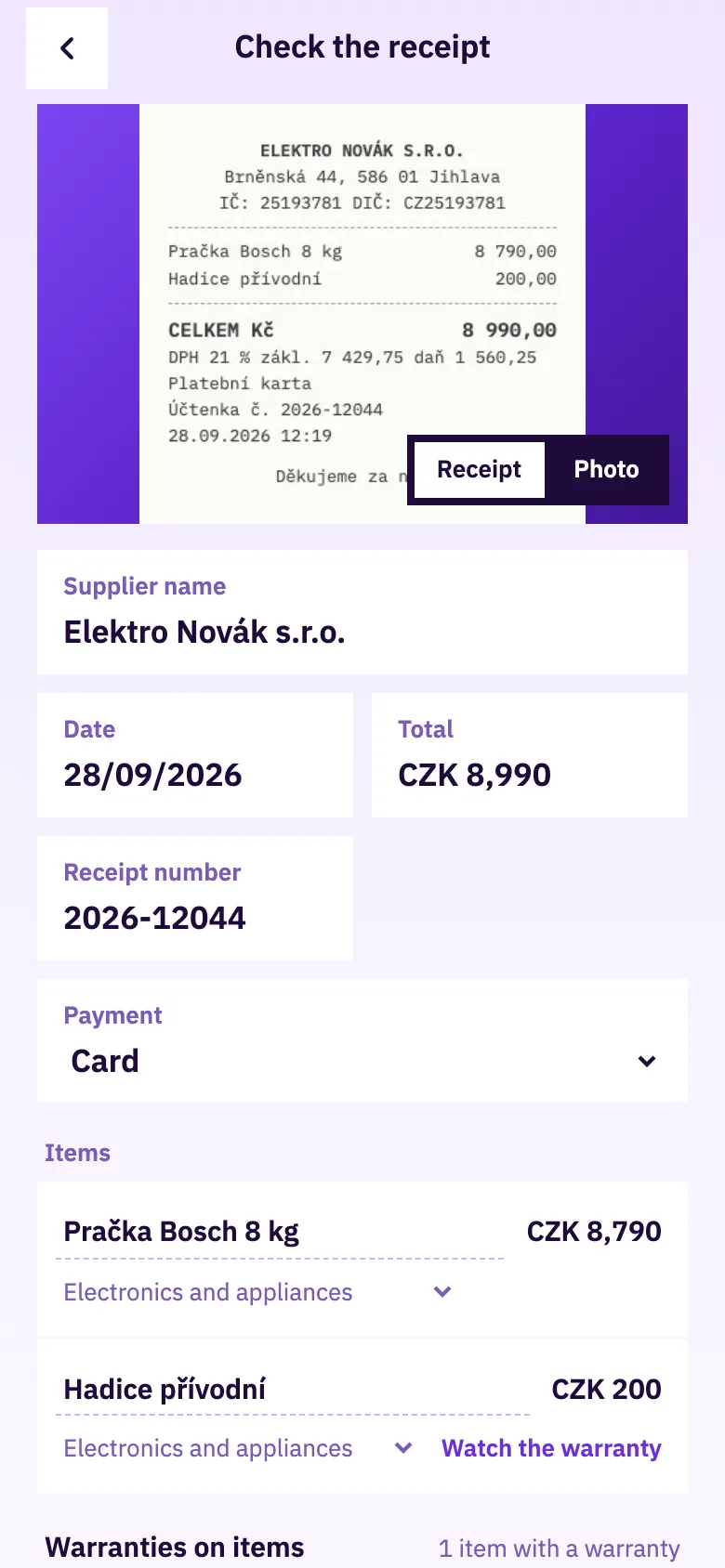
Screenshot: Check the items

2. Check the items

Stubly sorts the items into spending categories and recognises what has a warranty.

  • Change a category with one tap; next time Stubly uses it by itself.
  • Fix an item name read wrongly right there.
  • Set a longer warranty from the seller with − and +.
  • Ordinary shopping does not go into warranties.
Screenshot: Receipts

3. Receipts

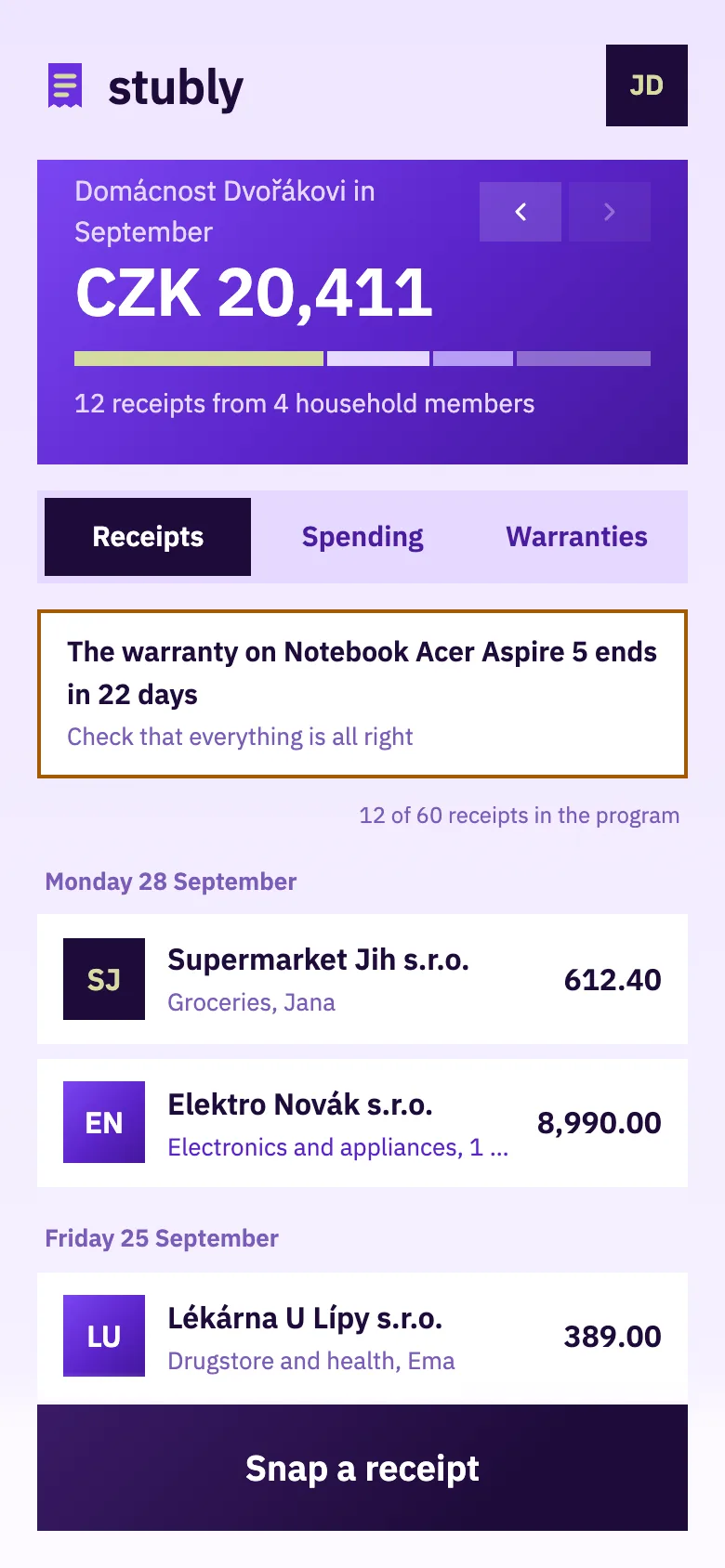
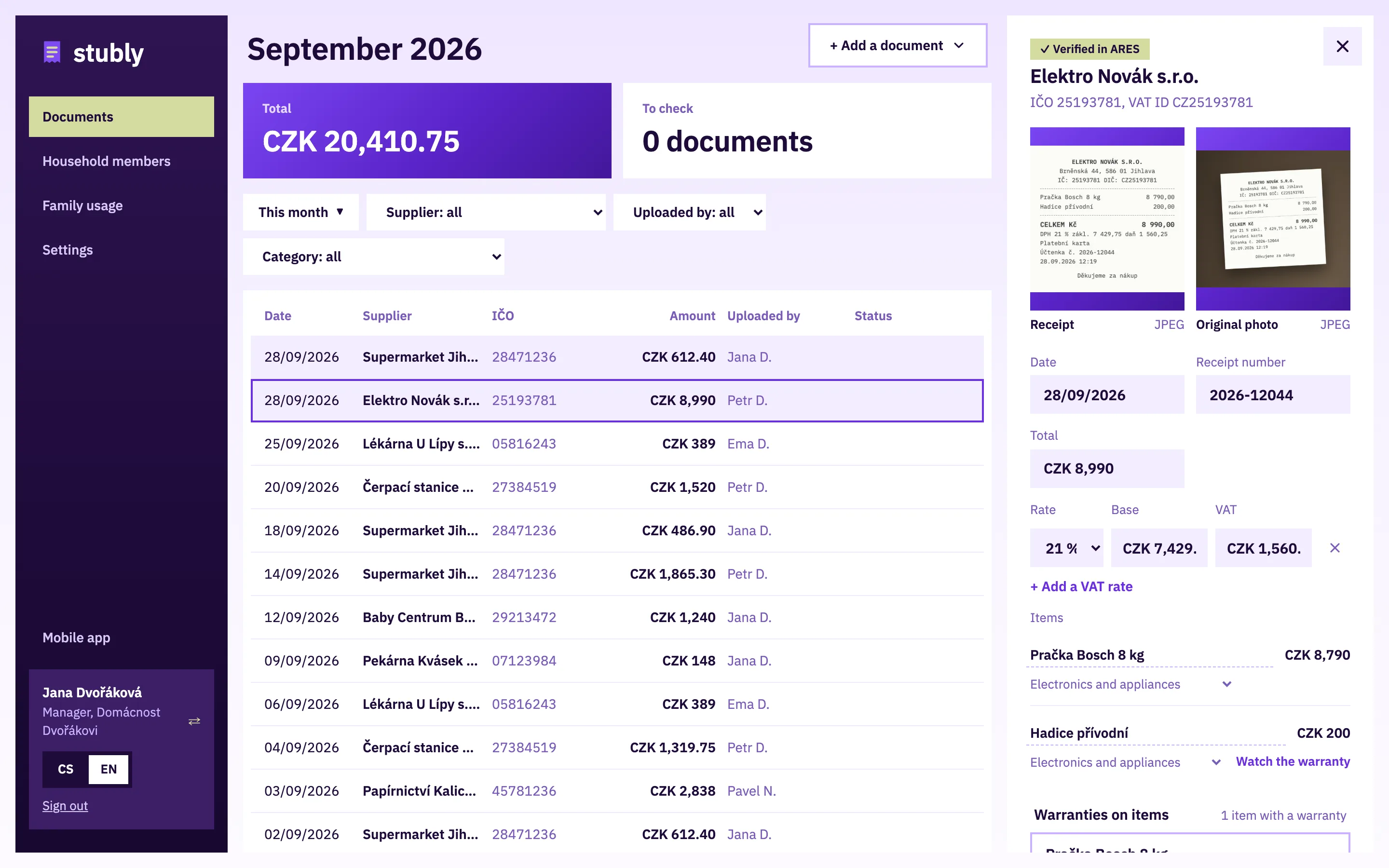
All the family’s receipts in one place, with who bought what.

  • The banner shows the month’s spending; switch the month with the arrows.
  • Below it you see how many receipts of the program are left.
  • Move a receipt snapped into the wrong account with the icon at the top right.
Screenshot: Spending

4. Spending

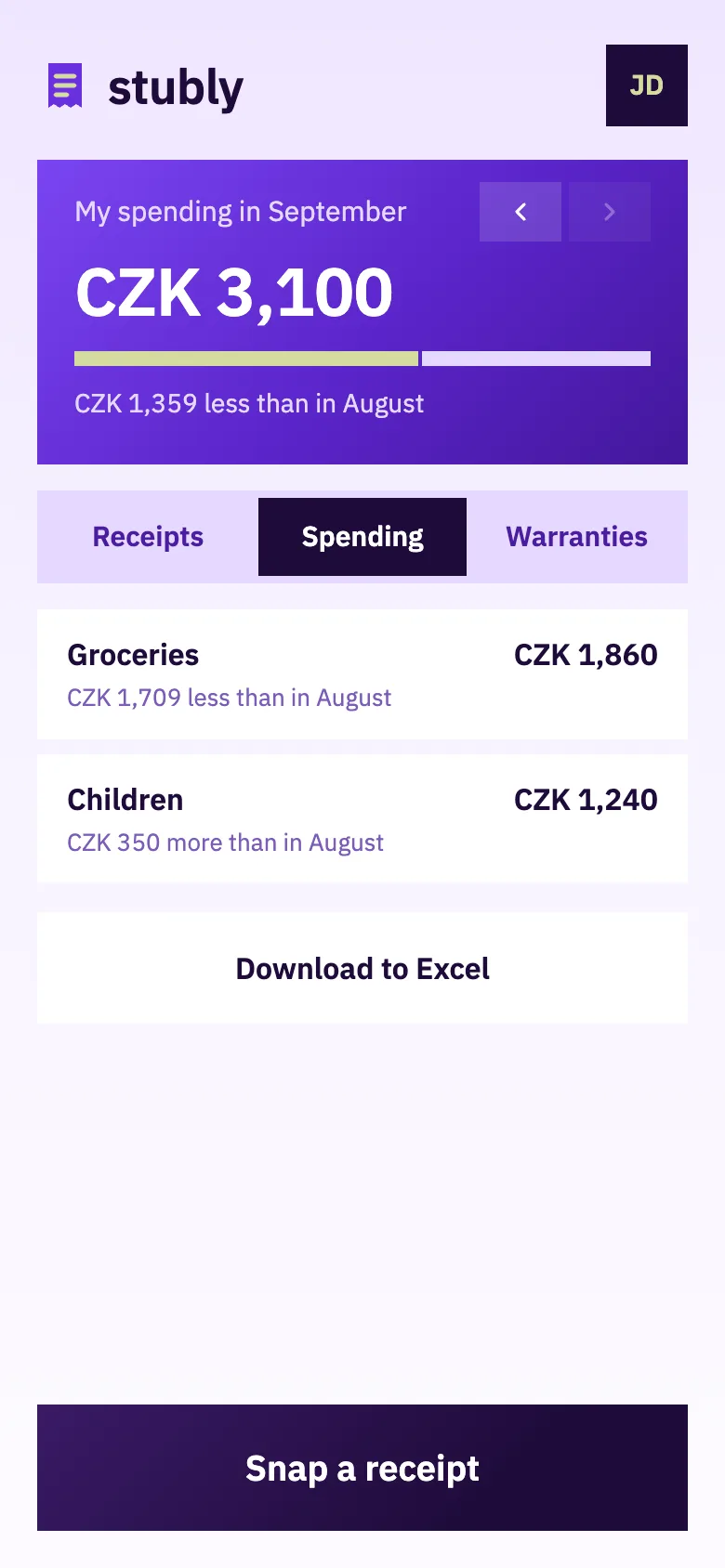
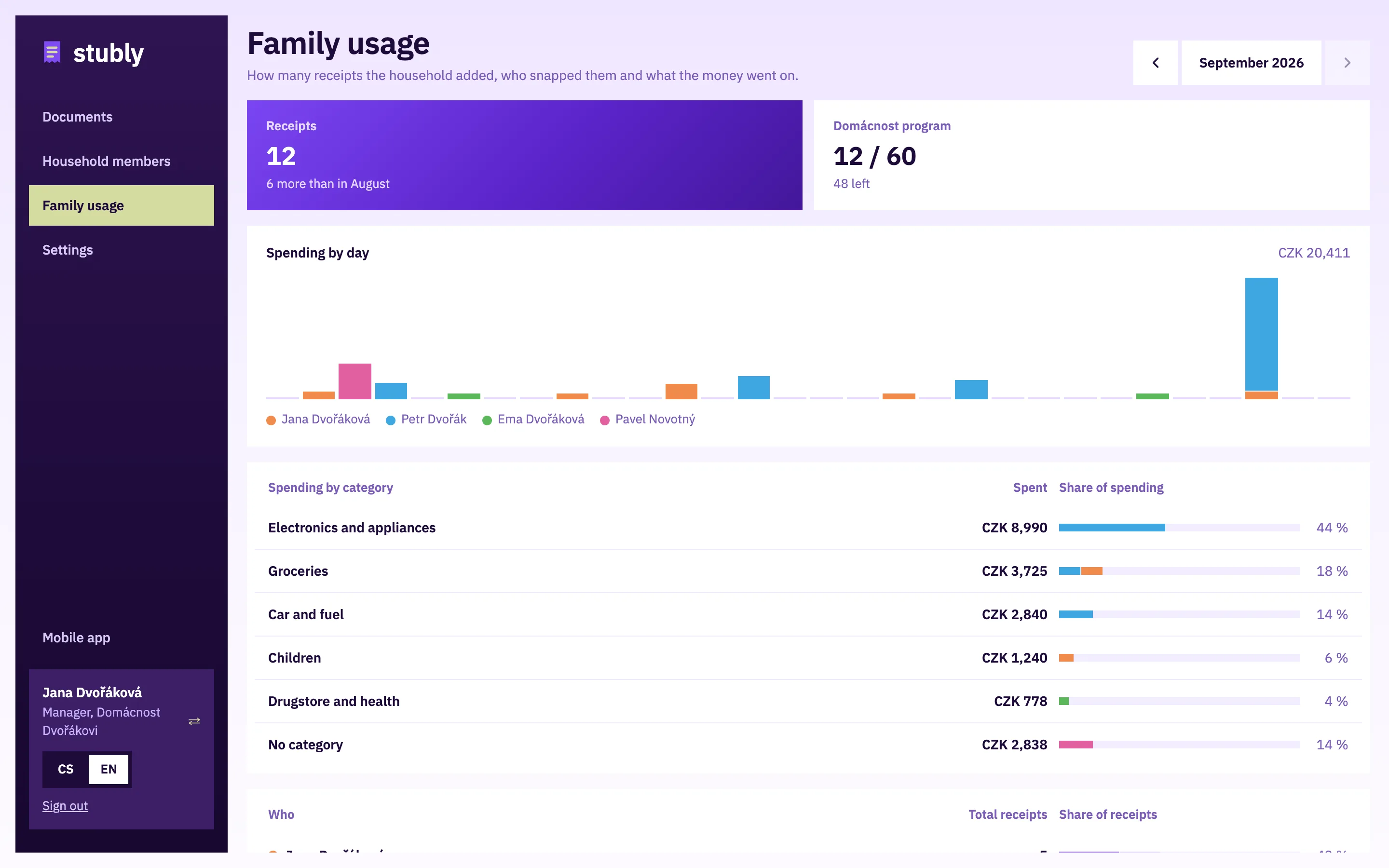
How much you spent and on what. The categories come from the items.

  • A comparison with last month for every category.
  • Everyone sees only their own spending. The manager sees the whole family in Family usage on the web.
  • Download the month to Excel.
Screenshot: Warranties

5. Warranties

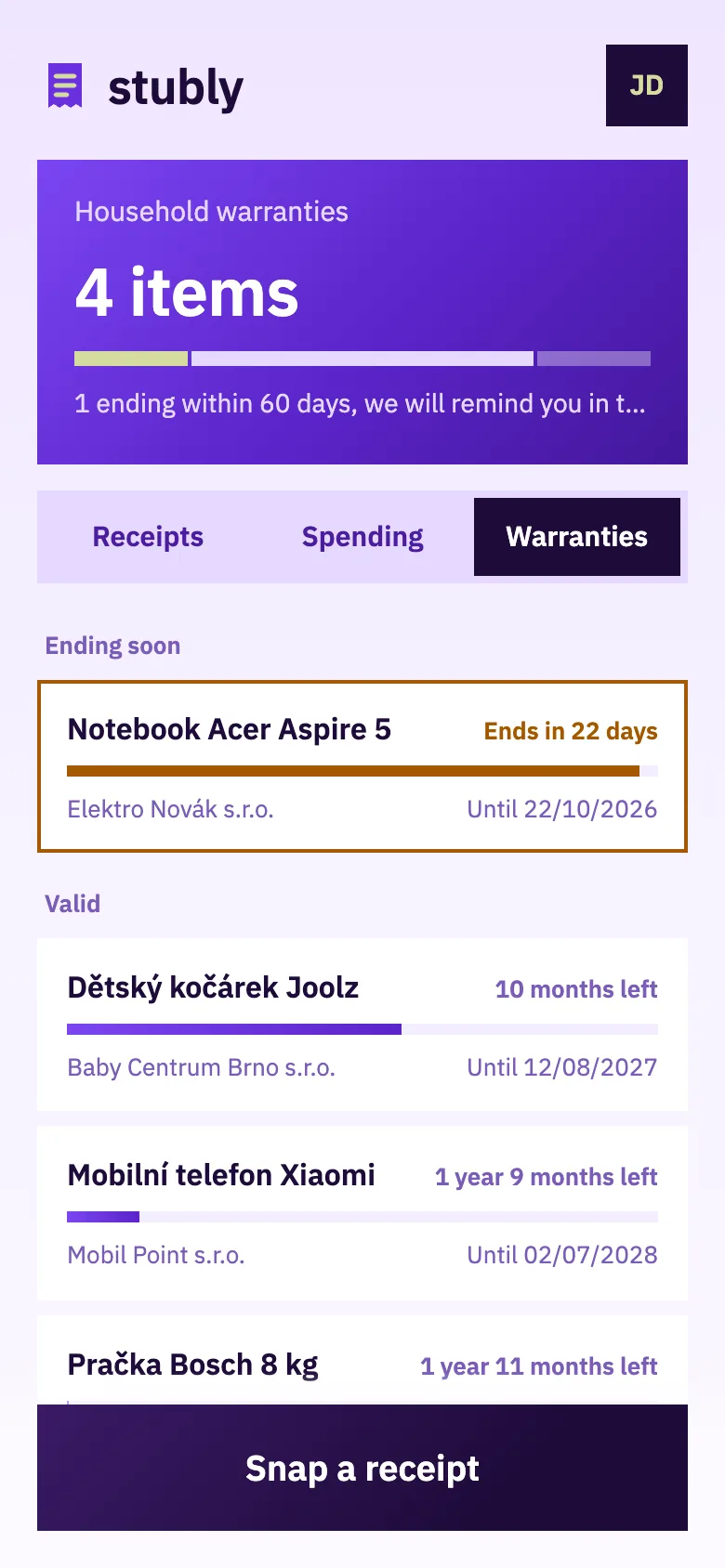
All things with a warranty, ordered by when it ends.

  • Before a warranty ends we send a reminder by e-mail.
  • After a warranty ends, the receipt stays saved.
Screenshot: Detail and complaint

6. Detail and complaint

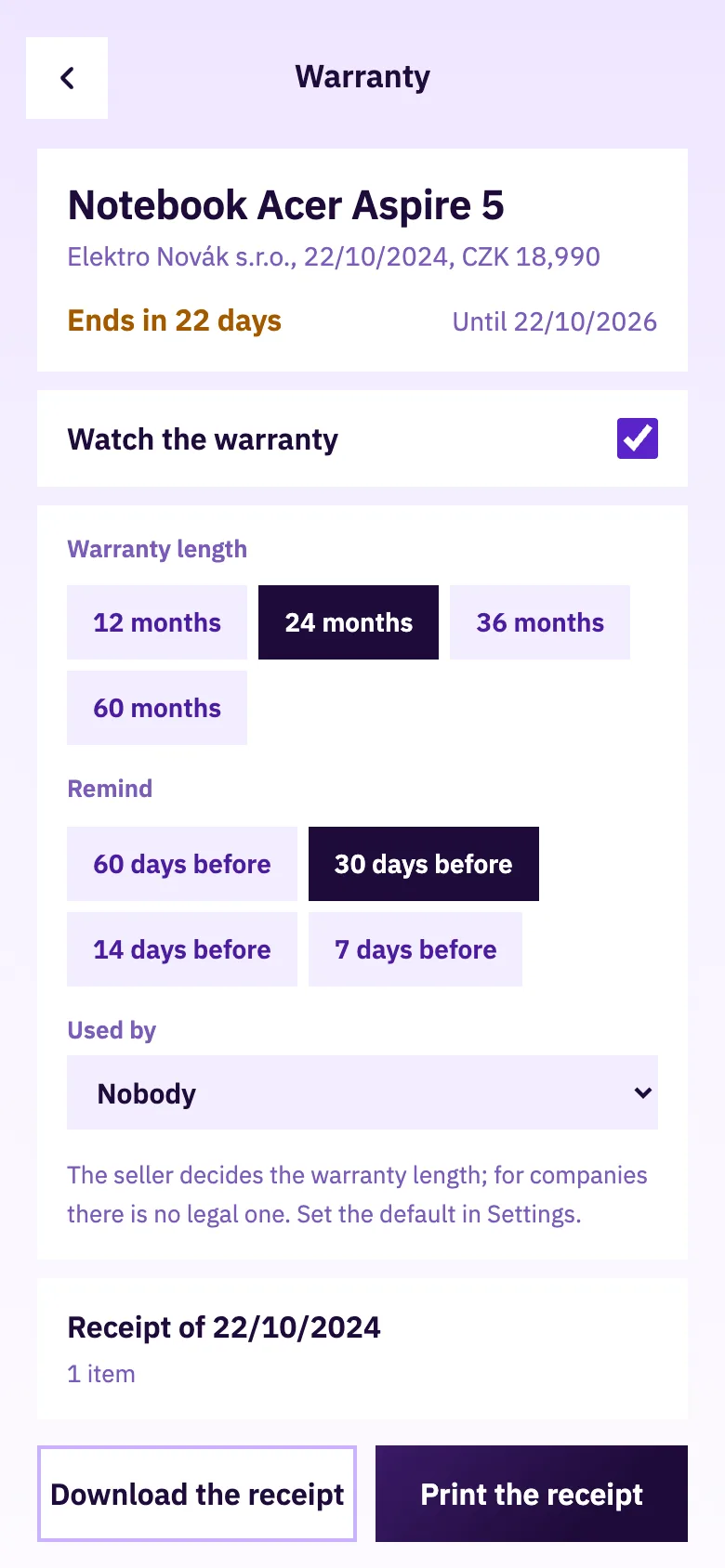
For every thing you set the warranty length and when to remind you.

  • Download the receipt for a complaint, or print it again.
  • We send nothing to the seller; you have everything with you.

Try it on your own documents

5 AI readings and 20 stored receipts a month for free, the Household program free for 14 days.

Start for free